Spreadsheets are a good place to start. They are flexible, familiar, and quick to change when you are still figuring out how the work should happen.
The question is what happens around the spreadsheet. Who copies the information into another tool? Who checks which version is current? Who chases the next approval?
When those tasks become part of the daily routine, it is worth looking at the workflow as a whole. Here are five signals we would use to start that conversation.
1. The same information travels by hand
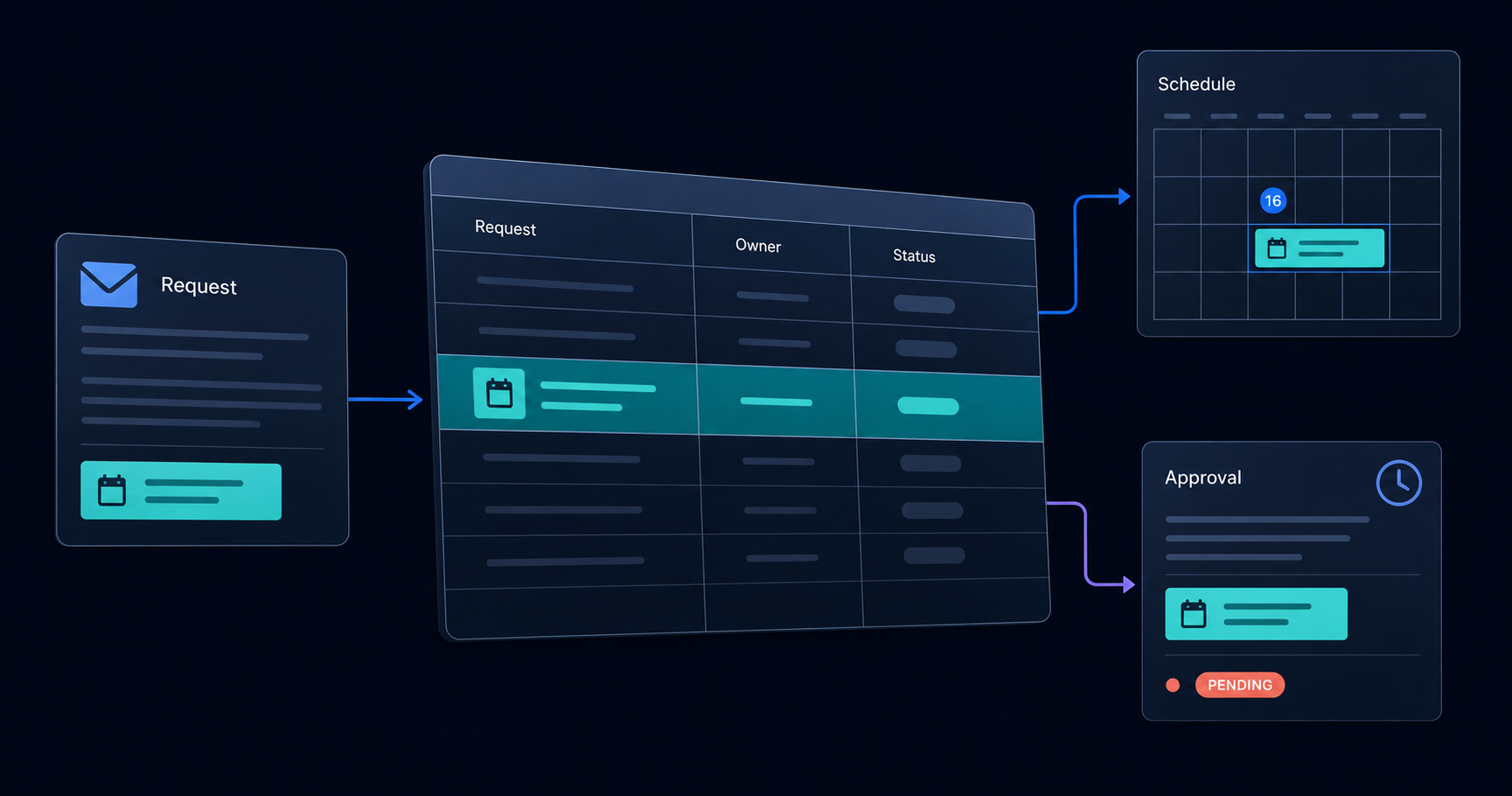
Imagine a service business receiving a request by email. Someone adds it to a tracking sheet, copies the details into a scheduling tool, and sends a separate update to the customer. When the date changes, all three places need attention.
That is an illustrative scenario, but it gives you a useful question to ask: how many times does someone enter the same information?
Walk through one recent request from beginning to end. Mark every copy, export, and re-entry. An integration between tools you already use might remove the biggest source of repetition without replacing the whole process.
2. Someone has to explain the status
If a colleague asks, “Where does this stand?”, can they find the answer themselves?
A status column may be enough for a simple process. As work moves through more people, the useful answer often needs more context: who owns the next step, what they are waiting for, and what happened before.
Start by agreeing on a few clear stages and an owner for each one. If the sheet still needs a running explanation in email or chat, a shared workflow tool may be worth exploring.
3. Access is becoming difficult to manage
Consider who needs to view information and who needs to change it. A customer may need an update on their request. A contractor may need the work details. Neither necessarily needs the entire internal tracker.
If you are maintaining separate copies for different audiences, write down exactly what each person should be able to see and do. That becomes a useful requirement for evaluating existing software or a focused customer portal.
Access rules need deliberate design and testing in any system. A custom application still needs that work.
4. The process depends on one person remembering
A spreadsheet can hold the information while one person holds the process in their head: when to follow up, which exception needs attention, and what must happen before an item is complete.
Try describing the next step without naming that person. What event starts it? Who is responsible? What information do they need? What should happen if something is missing?
Document those rules before automating them. A reminder, a required field, or a visible approval step may be a better first improvement than a large rebuild.
5. Maintaining the tracker is becoming its own job
Think about the effort around the sheet: repairing formulas, reconciling versions, preparing updates, and checking that changes reached the right places.
For a week, keep a simple record of that work. Capture the task, how often it happens, and the approximate time involved. Include mistakes and delays you can actually point to; avoid guessing at a dramatic total.
This gives you a concrete basis for deciding which problem deserves attention first.
Improve it, buy a tool, or build?
These signals do not automatically mean you need custom software. We would consider three paths:
- Improve the spreadsheet when the process is small and the main issues are inconsistent entries, unclear ownership, or missing conventions.
- Use an existing product when your workflow is common and a tool fits the important steps. Check access controls, integrations, exports, and the recurring cost before committing.
- Explore a custom application when the way you work has requirements that available tools cannot reasonably support, or when connecting several systems would make the experience substantially simpler.
For a custom build, include ongoing hosting, maintenance, backups, and someone responsible for supporting the system. Those are part of the decision from the beginning.
Start with one workflow
A useful first conversation needs a real example more than a long feature list.
Choose one process that is causing friction and write down:
- What starts the work.
- Who takes part and what each person needs to see.
- Where information gets copied or lost.
- What a successful finish looks like.
- Which improvement would make the biggest difference.
That is enough to compare a small fix, an existing tool, and a focused custom build. It also keeps the first version grounded in something you can review and test.
At Code + Carbon, we use that kind of concrete starting point to shape software around the people using it. Bring the workflow that is getting in your way, and we can talk through what would make it easier.
Put the idea to work
What’s getting in your way?
Bring us a workflow, a question, or an idea. We’ll help you find a useful place to start.